Once you have a solid list of keywords to base your SEO strategy on, you’re ready to map out the information that will go on each page before you start publishing new content online.
Here’s a list of all of the specific details you need to include for SEO best practices:
Title Tag
Each page of your website (including your homepage) will need a unique title, ideally one that uses a keyword. It should be specific, and in most cases, it should include the target location as well. For example:
“Kitchen Remodeling in Philadelphia: Custom Design and Build”
This title is what will show up in search results when Google starts ranking your content, so it’s the main thing visitors will look at to decide whether they should click or not. Skipping these puts you at an immediate disadvantage.
Note:Title tags shouldn’t be more than 60 characters, because anything over this length will be cut off with an ellipsis (…) in search results.
Meta Description
A meta description is just a short summary of what each page is focused on. It shows up directly under the title on a search engine results page (SERP). It may seem like a small detail, but these can provide more context than your title alone, and Google has been known to auto-populate them on pages that don’t have manually added meta descriptions.
To write your own meta, limit yourself to 150 characters (anything longer gets cut off with an ellipsis) and provide a slightly more detailed description of the page content. Include a keyword when you can.
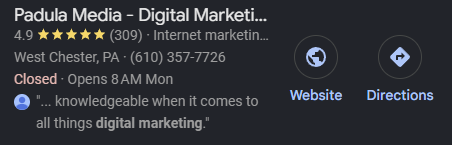
See the image below for an example of a title and meta description in Google search results.
Heading Structure
Your pages should be formatted with heading tags for readability, but this formatting also matters on a technical level because it lets Google’s crawlers know the main topics of your page.
Use a Header 1 (H1) only once on each webpage, directly at the top. From there, follow the hierarchy of H2 → H3. For example:
Format Your Title Like This
Format Each Main Heading Like This
Format Smaller Headings Like This
In general, it’s better not to use any headings smaller than an H3, as they won’t provide any additional benefit for SEO in most cases.
Image Alt Text
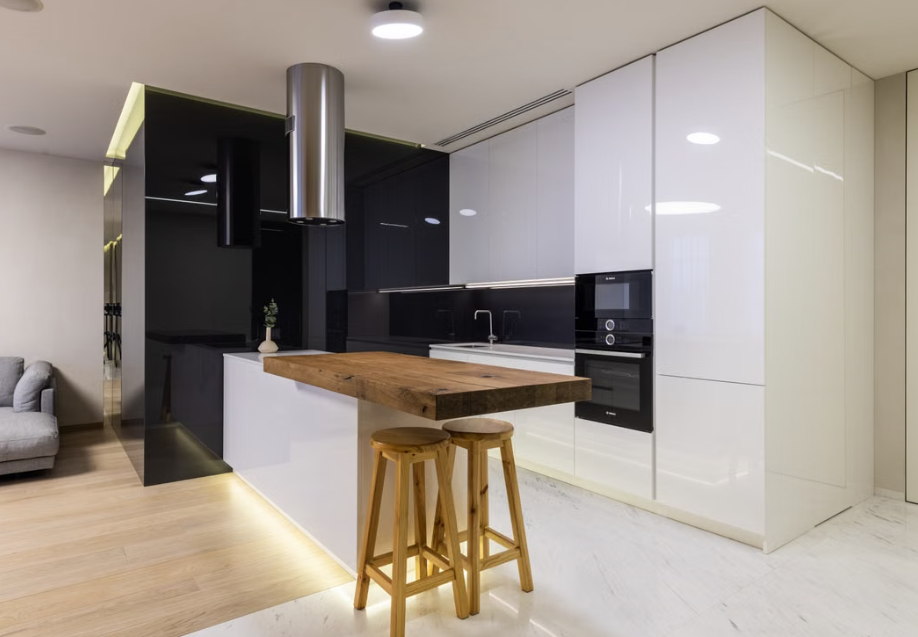
Your project photos are going to be some of the strongest selling points and trust signals for your work, and optimizing them with descriptive alt tags is one of the best ways to get them seen.
Alt text (descriptive text in an image’s metadata) is used by Google’s crawlers to better understand the content of an image and serve it in Google Image Search results. It’s also an accessibility best practice.
You don’t have to stuff keywords into your alt text. Just describe what’s in the photo, working in a relevant term if possible.
Alt Text: A modern, remodeled luxury kitchen in a West Chester, PA home
Also, always compress your images and convert them into .webp files to keep your site fast without losing image quality. You can do this easily using free web-based tools or a WordPress plugin.